
How to Build a Live Soccer Scores App Using a Soccer API
Learn how to build a live soccer scores application with fixtures, real-time scores, goals, cards, injury time, REST polling, WebSocket events, caching and safe reconnection.
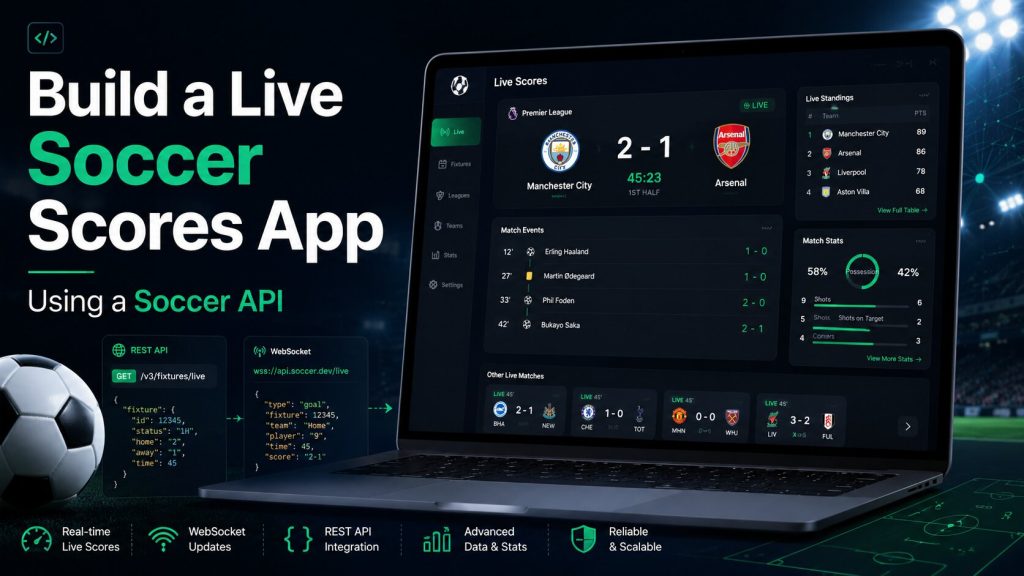
A live soccer scores app looks simple on the surface: show today’s matches, display the current score and update the page when something happens. The production version is more demanding. It must preserve stable match and team identifiers, understand match periods, process goals and cards only once, recover after connection failures and avoid exposing private API credentials.
This tutorial explains how to build a practical live soccer scores application using a Soccer API. It covers fixtures, live match state, event timelines, REST polling, WebSocket streaming, frontend rendering, caching, duplicate-event protection, reconnection, notifications and production deployment.
What You Will Build
The example application will provide a match list and a detailed live match view with the following features:
- Today’s scheduled, live and completed soccer matches
- Home and away teams
- Current score
- Match period and minute
- Injury or stoppage time
- Goals, cards, substitutions, penalties and VAR events
- Last-updated indicator
- Automatic refresh through REST or WebSocket
- Recovery after network interruptions
Recommended Architecture
Soccer API
   |
   +-- Fixtures endpoint
   +-- Live matches endpoint
   +-- Match details endpoint
   +-- Match events endpoint
   +-- WebSocket stream
   |
   v
Application backend
   |
   +-- API authentication
   +-- Match cache
   +-- Event validation
   +-- Duplicate protection
   +-- Internal live updates
   |
   v
Web or mobile frontend
The frontend should normally communicate with your own backend rather than calling the provider directly with a permanent private API key. The backend can protect credentials, share cached responses across users and centralise event validation.
Choose REST, WebSocket or Both
| Requirement | REST API | WebSocket API |
|---|---|---|
| Upcoming fixtures | Recommended | Usually unnecessary |
| Initial match state | Recommended | Subscribe after loading state |
| Live goals and cards | Requires polling | Server pushes supported events |
| Historical results | Recommended | Not required |
| Recovery after disconnect | Reload complete state | Reconnect and resubscribe |
A strong production pattern uses both. REST provides the authoritative complete state, while WebSocket provides incremental live updates.
Step 1: Set Up the Project
The frontend example can be built with plain HTML, CSS and JavaScript. A larger application may use React, Vue, Next.js or another framework. The backend can be implemented with Node.js, PHP, Python or another server technology.
Suggested Project Structure
soccer-live-scores/
  backend/
    server.js
    soccer-api.js
    cache.js
    events.js
  frontend/
    index.html
    app.js
    styles.css
  .env
  package.json
Environment Variables
SOCCER_API_BASE_URL=https://api.example.com/v1
SOCCER_API_KEY=YOUR_PRIVATE_API_KEY
PORT=3000.env file to a public source repository.
Step 2: Create a Server-Side Soccer API Client
The backend client should add authentication, set timeouts and handle non-2xx responses consistently.
Node.js Request Helper
const API_BASE_URL = process.env.SOCCER_API_BASE_URL;
const API_KEY = process.env.SOCCER_API_KEY;

async function requestSoccerApi(path, params = {}) {
  const url = new URL(`${API_BASE_URL}${path}`);

  for (const [key, value] of Object.entries(params)) {
    if (value !== undefined && value !== null) {
      url.searchParams.set(key, String(value));
    }
  }

  const controller = new AbortController();
  const timeout = setTimeout(() => controller.abort(), 15000);

  try {
    const response = await fetch(url, {
      headers: {
        Authorization: `Bearer ${API_KEY}`,
        Accept: 'application/json'
      },
      signal: controller.signal
    });

    if (!response.ok) {
      const body = await response.text();

      throw new Error(
        `Soccer API request failed: ${response.status} ${body}`
      );
    }

    return await response.json();
  } finally {
    clearTimeout(timeout);
  }
}

module.exports = { requestSoccerApi };
Why Use One Request Helper?
- Authentication is handled in one place
- Timeout behaviour is consistent
- Error logging is easier
- Future API version changes require fewer edits
- Retries and monitoring can be added centrally
Step 3: Retrieve Today’s Soccer Fixtures
A live-score home screen usually begins with the fixtures scheduled for the selected date.
Illustrative Endpoint
GET /soccer/matches?date=2026-08-06Backend Route
const express = require('express');
const { requestSoccerApi } = require('./soccer-api');

const app = express();

app.get('/api/matches', async (request, response) => {
  try {
    const date = request.query.date;

    if (!date) {
      return response.status(400).json({
        error: 'The date query parameter is required.'
      });
    }

    const data = await requestSoccerApi('/soccer/matches', {
      date
    });

    return response.json(data);
  } catch (error) {
    console.error(error);

    return response.status(502).json({
      error: 'Unable to retrieve soccer matches.'
    });
  }
});
Illustrative Fixture Response
{
  "data": [
    {
      "match_id": "match_74021",
      "competition": {
        "id": "competition_24",
        "name": "Example Premier League"
      },
      "starts_at": "2026-08-06T18:00:00Z",
      "status": "scheduled",
      "home_team": {
        "id": "team_18",
        "name": "North City"
      },
      "away_team": {
        "id": "team_29",
        "name": "United Athletic"
      }
    }
  ]
}
Step 4: Retrieve Live Match State
The live-match endpoint should return the complete current state required to render the interface.
Illustrative Endpoint
GET /soccer/matches/liveExample Live Match Response
{
  "data": [
    {
      "match_id": "match_74021",
      "status": "live",
      "period": "second_half",
      "minute": 67,
      "injury_time": 0,
      "home_team": {
        "id": "team_18",
        "name": "North City",
        "score": 2
      },
      "away_team": {
        "id": "team_29",
        "name": "United Athletic",
        "score": 1
      },
      "updated_at": "2026-08-06T10:31:22Z"
    }
  ]
}
Step 5: Normalise the API Response
Avoid letting provider-specific response shapes spread across every frontend component. Convert the response into a stable internal model.
function normaliseMatch(match) {
  return {
    id: match.match_id,
    status: match.status,
    period: match.period ?? null,
    minute: match.minute ?? null,
    injuryTime: match.injury_time ?? null,
    startsAt: match.starts_at ?? null,
    updatedAt: match.updated_at ?? null,
    competition: {
      id: match.competition?.id ?? null,
      name: match.competition?.name ?? 'Unknown competition'
    },
    homeTeam: {
      id: match.home_team.id,
      name: match.home_team.name,
      score: match.home_team.score ?? null
    },
    awayTeam: {
      id: match.away_team.id,
      name: match.away_team.name,
      score: match.away_team.score ?? null
    }
  };
}
Benefits of a Normalised Model
- Frontend components remain stable
- Provider changes are easier to manage
- Testing requires fewer provider-specific fixtures
- Multiple providers can be mapped into one application model
- Missing values can be handled consistently
Step 6: Build the Match List Interface
HTML
<main class="scores-app">
  <header class="scores-header">
    <div>
      <p class="eyebrow">Live Soccer</p>
      <h1>Today’s Matches</h1>
    </div>

    <button id="refresh-button" type="button">
      Refresh
    </button>
  </header>

  <div id="connection-status" class="connection-status">
    Loading matches…
  </div>

  <section id="match-list" class="match-list"></section>
</main>
CSS
.scores-app {
  width: min(1100px, calc(100% - 32px));
  margin: 40px auto;
  font-family: Inter, Arial, sans-serif;
}

.scores-header {
  display: flex;
  align-items: center;
  justify-content: space-between;
  gap: 24px;
  margin-bottom: 24px;
}

.match-list {
  display: grid;
  gap: 16px;
}

.match-card {
  padding: 20px;
  border: 1px solid #dfe5ec;
  border-radius: 16px;
  background: #ffffff;
}

.match-card__meta,
.match-card__footer {
  display: flex;
  align-items: center;
  justify-content: space-between;
  gap: 16px;
}

.match-card__teams {
  display: grid;
  gap: 12px;
  margin: 22px 0;
}

.match-team {
  display: grid;
  grid-template-columns: minmax(0, 1fr) auto;
  align-items: center;
  gap: 20px;
  font-size: 18px;
}

.match-team__score {
  min-width: 34px;
  text-align: center;
  font-size: 26px;
  font-weight: 800;
}

.match-status--live {
  font-weight: 800;
}

.connection-status {
  margin-bottom: 16px;
  font-size: 14px;
}
Step 7: Render Soccer Matches With JavaScript
const matchList = document.querySelector('#match-list');
const connectionStatus = document.querySelector('#connection-status');
const refreshButton = document.querySelector('#refresh-button');

function formatClock(match) {
  if (match.status === 'live') {
    const addedTime = match.injuryTime
      ? `+${match.injuryTime}`
      : '';

    return `${match.minute ?? 0}${addedTime}′`;
  }

  if (match.status === 'completed') {
    return 'FT';
  }

  if (match.startsAt) {
    return new Intl.DateTimeFormat(undefined, {
      hour: '2-digit',
      minute: '2-digit'
    }).format(new Date(match.startsAt));
  }

  return match.status;
}

function createMatchCard(match) {
  const article = document.createElement('article');
  article.className = 'match-card';
  article.dataset.matchId = match.id;

  article.innerHTML = `
    <div class="match-card__meta">
      <span>${escapeHtml(match.competition.name)}</span>
      <span class="${match.status === 'live'
        ? 'match-status--live'
        : ''}">
        ${escapeHtml(formatClock(match))}
      </span>
    </div>

    <div class="match-card__teams">
      <div class="match-team">
        <span>${escapeHtml(match.homeTeam.name)}</span>
        <strong class="match-team__score">
          ${match.homeTeam.score ?? '–'}
        </strong>
      </div>

      <div class="match-team">
        <span>${escapeHtml(match.awayTeam.name)}</span>
        <strong class="match-team__score">
          ${match.awayTeam.score ?? '–'}
        </strong>
      </div>
    </div>

    <div class="match-card__footer">
      <span>${escapeHtml(match.status)}</span>
      <span>
        Updated ${formatUpdatedTime(match.updatedAt)}
      </span>
    </div>
  `;

  return article;
}

function renderMatches(matches) {
  matchList.replaceChildren(
    ...matches.map(createMatchCard)
  );
}

function escapeHtml(value) {
  const element = document.createElement('div');
  element.textContent = String(value);
  return element.innerHTML;
}

function formatUpdatedTime(value) {
  if (!value) {
    return 'not available';
  }

  return new Intl.DateTimeFormat(undefined, {
    hour: '2-digit',
    minute: '2-digit',
    second: '2-digit'
  }).format(new Date(value));
}Step 8: Load Matches From Your Backend
async function loadMatches() {
  connectionStatus.textContent = 'Loading matches…';
  refreshButton.disabled = true;

  try {
    const date = new Date().toISOString().slice(0, 10);

    const response = await fetch(
      `/api/matches?date=${encodeURIComponent(date)}`
    );

    if (!response.ok) {
      throw new Error(`Request failed: ${response.status}`);
    }

    const payload = await response.json();
    const matches = payload.data.map(normaliseMatch);

    renderMatches(matches);
    connectionStatus.textContent =
      `Updated at ${new Date().toLocaleTimeString()}`;
  } catch (error) {
    console.error(error);
    connectionStatus.textContent =
      'Live scores are temporarily unavailable.';
  } finally {
    refreshButton.disabled = false;
  }
}

refreshButton.addEventListener('click', loadMatches);
loadMatches();
Step 9: Add Controlled REST Polling
For a basic application, poll live matches at a controlled interval. Do not request every match separately for every user.
let refreshTimer;

function startPolling() {
  stopPolling();

  refreshTimer = setInterval(() => {
    if (document.visibilityState === 'visible') {
      loadMatches();
    }
  }, 30000);
}

function stopPolling() {
  if (refreshTimer) {
    clearInterval(refreshTimer);
    refreshTimer = undefined;
  }
}

document.addEventListener('visibilitychange', () => {
  if (document.visibilityState === 'visible') {
    loadMatches();
  }
});

startPolling();
Polling Best Practices
- Use the provider’s documented rate limits
- Share responses through a backend cache
- Pause unnecessary polling when the page is hidden
- Poll live matches more often than scheduled fixtures
- Stop high-frequency polling after full time
- Show the last successful update time
Step 10: Add WebSocket Live Events
WebSocket can update the interface as supported events arrive instead of waiting for the next polling cycle.
Illustrative Subscription
const socket = new WebSocket(
  'wss://stream.example.com/v1/soccer'
);

socket.addEventListener('open', () => {
  socket.send(JSON.stringify({
    action: 'authenticate',
    token: 'SHORT_LIVED_ACCESS_TOKEN'
  }));

  socket.send(JSON.stringify({
    action: 'subscribe',
    channel: 'match_events',
    match_ids: [
      'match_74021'
    ]
  }));
});
Process Incoming Events
const processedEventIds = new Set();

socket.addEventListener('message', (message) => {
  const event = JSON.parse(message.data);

  if (event.type === 'ping') {
    socket.send(JSON.stringify({
      type: 'pong',
      timestamp: event.timestamp
    }));
    return;
  }

  if (!event.event_id || processedEventIds.has(event.event_id)) {
    return;
  }

  processedEventIds.add(event.event_id);
  applySoccerEvent(event);
});

function applySoccerEvent(event) {
  switch (event.type) {
    case 'goal':
      updateScore(event);
      addTimelineEvent(event);
      break;

    case 'yellow_card':
    case 'red_card':
    case 'substitution':
    case 'var_decision':
    case 'penalty':
      addTimelineEvent(event);
      break;

    case 'match_status':
      updateMatchStatus(event);
      break;

    default:
      console.debug('Unhandled soccer event:', event.type);
  }
}
Step 11: Update the Score Safely
function updateScore(event) {
  const matchCard = document.querySelector(
    `[data-match-id="${CSS.escape(event.match_id)}"]`
  );

  if (!matchCard || !event.score) {
    return;
  }

  const scoreElements = matchCard.querySelectorAll(
    '.match-team__score'
  );

  if (scoreElements.length !== 2) {
    return;
  }

  scoreElements[0].textContent = event.score.home;
  scoreElements[1].textContent = event.score.away;
}
Use the score supplied by the authoritative event or reload the current match state. Avoid calculating the official score only by incrementing a local number, because goals can be disallowed or corrected.
Step 12: Build a Match Event Timeline
Illustrative Event Payload
{
  "event_id": "event_991827",
  "match_id": "match_74021",
  "type": "goal",
  "sequence": 184,
  "minute": 67,
  "injury_time": 0,
  "team_id": "team_18",
  "player": {
    "id": "player_301",
    "name": "A. Morgan"
  },
  "score": {
    "home": 2,
    "away": 1
  }
}
Timeline Rendering
function addTimelineEvent(event) {
  const timeline = document.querySelector(
    `[data-timeline-match-id="${CSS.escape(event.match_id)}"]`
  );

  if (!timeline) {
    return;
  }

  const item = document.createElement('li');
  const minute = event.injury_time
    ? `${event.minute}+${event.injury_time}′`
    : `${event.minute ?? 0}′`;

  const playerName = event.player?.name
    ? ` — ${event.player.name}`
    : '';

  item.textContent =
    `${minute} ${formatEventType(event.type)}${playerName}`;

  timeline.prepend(item);
}

function formatEventType(type) {
  return type
    .split('_')
    .map(word => word.charAt(0).toUpperCase() + word.slice(1))
    .join(' ');
}
Step 13: Handle Match Status Correctly
| Status | Recommended display |
|---|---|
| scheduled | Show kickoff time |
| delayed | Show delay notice and revised time where available |
| first_half | Show live minute and score |
| halftime | Show HT and halftime score |
| second_half | Show live minute and score |
| extra_time | Show the active extra-time period |
| penalty_shootout | Show shootout state and penalty score |
| completed | Show FT and final result |
| postponed | Show the official postponed status |
| cancelled | Show the official cancelled status |
Step 14: Display Injury Time
Do not treat the match minute as a simple stopwatch. Injury time should be displayed using the period and added-time fields returned by the provider.
function formatMatchMinute(minute, injuryTime) {
  if (minute === null || minute === undefined) {
    return '';
  }

  if (injuryTime && injuryTime > 0) {
    return `${minute}+${injuryTime}′`;
  }

  return `${minute}′`;
}
Step 15: Add Reconnection Logic
let socket;
let reconnectAttempts = 0;
let reconnectTimer;

function connectSocket() {
  socket = new WebSocket(
    'wss://stream.example.com/v1/soccer'
  );

  socket.addEventListener('open', () => {
    reconnectAttempts = 0;
    connectionStatus.textContent = 'Live connection active';
    subscribeToRequiredMatches();
  });

  socket.addEventListener('close', () => {
    connectionStatus.textContent =
      'Live connection interrupted. Reconnecting…';

    scheduleReconnect();
  });

  socket.addEventListener('error', () => {
    socket.close();
  });
}

function scheduleReconnect() {
  clearTimeout(reconnectTimer);

  const baseDelay = Math.min(
    1000 * Math.pow(2, reconnectAttempts),
    30000
  );

  const jitter = Math.floor(Math.random() * 1000);
  reconnectAttempts += 1;

  reconnectTimer = setTimeout(async () => {
    await loadMatches();
    connectSocket();
  }, baseDelay + jitter);
}
Why Reload REST State After Reconnecting?
One or more events may have occurred while the socket was disconnected. Reloading complete state prevents the interface from continuing with an incorrect score or match status.
Step 16: Prevent Duplicate Events
Duplicate protection should exist in the backend database, not only in a temporary browser set.
processed_soccer_events

event_id          unique
match_id
sequence
event_type
provider_time
processed_at
payload_hash
Safe Processing Workflow
1. Receive the event
2. Validate match_id and event_id
3. Check whether event_id already exists
4. Compare the event sequence
5. Begin a database transaction
6. Store the unique event
7. Update the match state
8. Commit the transaction
9. Notify connected users
Step 17: Add Backend Caching
| Data type | Suggested cache strategy |
|---|---|
| Competitions and teams | Longer cache with periodic refresh |
| Upcoming fixtures | Moderate cache |
| Scheduled match state | Moderate cache until kickoff approaches |
| Live match state | Short cache or event-driven update |
| Completed results | Long cache after final reconciliation |
A shared cache prevents every visitor from triggering the same upstream API request.
Step 18: Add Goal Notifications
Notifications should be triggered only after event validation and duplicate protection.
async function handleConfirmedGoal(event) {
  const inserted = await saveUniqueEvent(event);

  if (!inserted) {
    return;
  }

  await updateStoredMatchScore(event.match_id, event.score);

  await publishLiveUpdate({
    matchId: event.match_id,
    type: 'goal',
    event
  });

  await queueUserNotifications({
    matchId: event.match_id,
    eventId: event.event_id,
    title: 'Goal',
    body: buildGoalNotificationText(event)
  });
}
Notification Best Practices
- Respect the user’s selected teams and competitions
- Prevent duplicate alerts
- Handle disallowed or corrected goals
- Do not expose private account data in notification text
- Allow users to disable selected event types
- Follow platform permission and rate-limit rules
Step 19: Handle Corrections and VAR Decisions
A goal can be reviewed and disallowed. A card or scorer can also be corrected. Your data model should support reversal or replacement events.
Correction workflow

1. Identify the original event
2. Mark the original event as corrected or reversed
3. Apply the new authoritative event
4. Reload the current match score
5. Update the timeline
6. Correct internal points or alerts
7. Preserve the audit historyStep 20: Add Accessibility
- Use semantic headings and lists
- Do not communicate live status through colour alone
- Use an ARIA live region for important score changes
- Allow keyboard access to match controls
- Provide sufficient text contrast
- Avoid excessive animation during frequent updates
Live Score Announcement Region
<div
  id="score-announcer"
  class="screen-reader-text"
  aria-live="polite"
  aria-atomic="true"
></div>
function announceScoreChange(text) {
const announcer = document.querySelector('#score-announcer');
announcer.textContent = '';
window.setTimeout(() => {
announcer.textContent = text;
}, 50);
}Step 21: Add Loading, Empty and Error States
| State | Recommended message |
|---|---|
| Loading | Loading today’s soccer matches… |
| No matches | No supported matches are scheduled for this date. |
| Temporary error | Scores are temporarily unavailable. Please try again. |
| Stale connection | Live updates are delayed. Reconnecting… |
| Recovered | Live connection restored. |
Step 22: Test Important Match Scenarios
- A scheduled match begins
- The first goal arrives
- A goal is disallowed after VAR
- A yellow card becomes a second-yellow dismissal
- The match enters injury time
- The match reaches halftime
- A knockout match enters extra time
- A match enters a penalty shootout
- The WebSocket connection drops
- Duplicate events arrive after reconnecting
- The final result is corrected
- A match is postponed or abandoned
Step 23: Monitor the Production Application
Recommended Metrics
- Soccer API request success rate
- API response duration
- Rate-limit responses
- WebSocket connection count
- Heartbeat age
- Reconnect attempts
- Event-processing failures
- Duplicate-event count
- Sequence gaps
- Time from provider event to frontend display
- Cache hit rate
Measure the complete delivery path before publishing any numerical latency or update-frequency claim.
Common Live Soccer App Mistakes
Exposing the API Key in Frontend Code
Keep permanent private credentials on the server.
Opening One Provider Connection Per User
Use a shared backend ingestion layer when the provider’s model and terms support it.
Counting Events Twice
Store unique event IDs and process updates idempotently.
Using Team Names as Primary Keys
Store stable team and match identifiers.
Ignoring Match Status
Handle halftime, injury time, extra time, penalties, postponements and abandonments explicitly.
Trusting the Stream Without Reconciliation
Reload authoritative REST state after reconnecting and at full time.
Claiming Unverified Real-Time Performance
Publish latency, update-frequency and uptime figures only when supported by measurement or service terms.
Live Soccer Scores App FAQs
Which API endpoints are needed for a live soccer scores app?
A typical application needs fixtures, live matches, individual match state, match events and competition information. WebSocket streaming can provide incremental live updates where supported.
Should I use REST or WebSocket for live soccer scores?
Use REST for initial and complete match state. Use WebSocket for supported live events. Combining both provides a stronger recovery model.
How often should a live scores app poll?
Follow the provider’s documented quotas and update guidance. Use server-side caching and stop frequent polling after the match is completed.
How do I prevent duplicate goal notifications?
Store every unique event ID in persistent storage and create the notification only after the event is inserted successfully.
How should injury time be displayed?
Use the match minute, period and injury-time fields returned by the API rather than calculating official time from a local stopwatch.
What happens when the WebSocket disconnects?
Mark the interface as stale, reconnect with controlled backoff, reload current state through REST and then resubscribe.
Can I build the app with WordPress?
Yes. WordPress can provide content, account and frontend pages, while a custom plugin or external backend handles protected API calls, caching and live event processing.
Can I send push notifications for goals?
Yes, after validating the event, preventing duplicates and obtaining the required user permission for the selected notification platform.
Start Building Your Live Soccer Scores App
Begin with fixtures and complete match state, then add safe polling or WebSocket events. Preserve stable IDs, process every event once and reconcile after connection failures.
Build Cricket Products With Reliable API Data
Access live scores, fixtures, ball-by-ball updates, statistics, odds, predictions and historical cricket data through one developer-friendly API.
Get API Access