
How to Choose the Right Soccer API for Your Project
Soccer API, Soccer Data Provider, Soccer API Provider, Football API, Live Soccer API, Soccer WebSocket API, Soccer Data API, Sports API Comparison, Soccer API Pricing
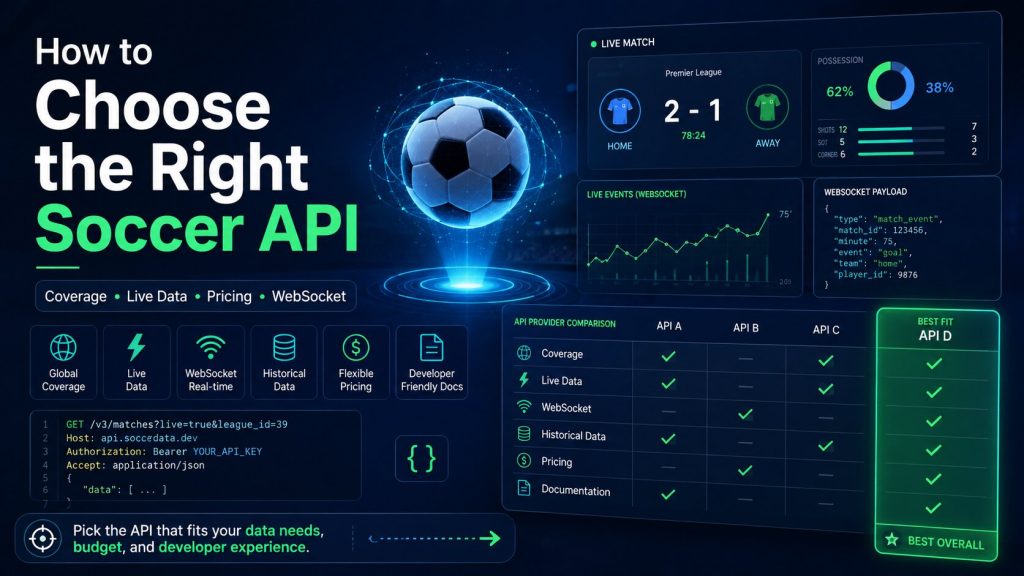
The right Soccer API is not necessarily the provider with the largest league count, the lowest starting price or the longest feature list. The best choice is the one that reliably covers your required competitions, returns the exact data your product needs, fits your traffic pattern and permits your intended commercial use.
This guide explains how to evaluate a Soccer API for live-score applications, fantasy products, media websites, betting platforms, analytics tools and machine-learning systems. It covers league coverage, data freshness, latency, documentation, SDKs, REST versus WebSocket, historical data, pricing, quotas, service commitments and production testing.
Start With Your Product Requirements
Before comparing providers, define what the application must do. A live-score mobile app has different requirements from a historical analytics dashboard or a betting platform.
| Product type | Most important data | Primary technical concern |
|---|---|---|
| Live-score application | Fixtures, score, clock, goals, cards and match status | Freshness and recovery after disconnects |
| Fantasy soccer platform | Line-ups, player events, minutes, goals, assists and saves | Stable player IDs and scoring accuracy |
| Sports media website | Fixtures, standings, teams, players, events and statistics | Coverage depth and content rights |
| Betting or odds product | Pre-match odds, live odds, market status and settlement | Bookmaker coverage, licensing and latency |
| Prediction or AI product | Historical matches, statistics, xG, line-ups and odds history | Historical depth and data consistency |
| Internal analytics tool | Historical team, player and match statistics | Bulk access, storage rights and reproducibility |
Create a Soccer API Requirements Checklist
Write down the required features before starting a trial.
- Required competitions and countries
- Current and historical seasons
- Fixtures and results
- Live scores and match clock
- Goals, cards, substitutions, penalties and VAR events
- Line-ups, formations and benches
- League standings
- Team and player profiles
- Match, team and player statistics
- Expected goals and advanced metrics
- Head-to-head data
- Pre-match and live odds
- Predictions
- Historical data
- REST, WebSocket, webhook or another delivery method
1. Evaluate League and Competition Coverage
A provider may advertise hundreds or thousands of leagues, but not every competition will include the same fields.
Ask More Than “Is This League Covered?”
- Are fixtures available?
- Are live scores available?
- Are goals, cards and substitutions available?
- Are confirmed line-ups available?
- Are player and match statistics available?
- Are advanced metrics such as xG available?
- Are odds and predictions available?
- How many historical seasons are included?
Build a Coverage Matrix
| Competition | Fixtures | Live events | Line-ups | Statistics | History |
|---|---|---|---|---|---|
| Required League A | Confirm | Confirm | Confirm | Confirm | Confirm |
| Required League B | Confirm | Confirm | Confirm | Confirm | Confirm |
| Required Cup | Confirm | Confirm | Confirm | Confirm | Confirm |
2. Measure Data Freshness
“Real time” is not one universal measurement. The visible update speed depends on sourcing, provider processing, network delivery, your backend and the frontend.
Measure the Complete Path
Official match event
        |
        v
Provider event timestamp
        |
        v
Your backend receipt time
        |
        v
Application processing time
        |
        v
Frontend display time
Recommended Freshness Fields
- Provider event timestamp
- Provider response timestamp
- Your backend receipt timestamp
- Your processing completion timestamp
- User-interface update timestamp
Test several matches and competitions before making any numerical performance claim.
3. Understand Latency Requirements
Not every product needs the same latency.
| Use case | Typical priority | Possible delivery method |
|---|---|---|
| Fixtures calendar | Correctness over immediacy | Cached REST |
| Live-score website | Frequent reliable updates | REST polling or WebSocket |
| Goal notifications | Rapid event delivery | WebSocket or push feed |
| Fantasy scoring | Accurate events and corrections | REST plus WebSocket |
| Historical analytics | Completeness and consistency | REST or bulk delivery |
| Trading interface | Low latency and market status | Commercial real-time feed |
4. Compare REST and WebSocket Support
REST and WebSocket serve different roles.
| Requirement | REST API | WebSocket API |
|---|---|---|
| Fixtures and schedules | Recommended | Usually unnecessary |
| Initial match state | Recommended | Subscribe after loading state |
| Goals and cards | Requires polling | Incremental event delivery |
| Historical records | Recommended | Not required |
| Recovery after interruption | Reload authoritative state | Reconnect and resubscribe |
Recommended Production Pattern
REST:
- competitions
- fixtures
- complete match state
- standings
- statistics
- history
- recovery

WebSocket:
- goals
- cards
- substitutions
- VAR decisions
- penalties
- match-status changes
- live statistics
5. Review Historical Data Depth
Historical data is critical for statistics, trends, machine learning, head-to-head pages and long-term analysis.
Questions to Ask
- How many seasons are available?
- Does historical depth vary by competition?
- Are event-level records available?
- Are historical line-ups available?
- Are player statistics available historically?
- Are xG and advanced metrics historical?
- Are historical odds available?
- Can the data be stored permanently?
- Can the data be used to train models?
Historical Data Quality Checks
- Stable team and player identifiers across seasons
- Consistent competition and season identifiers
- Final match-status accuracy
- Duplicate-match detection
- Missing-season documentation
- Corrections and revision history
6. Check Statistics and Advanced Metrics
“Statistics included” can mean anything from final scores to detailed player and event analytics.
| Statistics level | Example fields |
|---|---|
| Basic match | Score, possession, shots, corners and cards |
| Detailed match | Passes, tackles, saves, fouls and player minutes |
| Player season | Appearances, goals, assists, cards and minutes |
| Advanced | xG, xA, progressive actions and shot quality |
| Historical trend | Recent form, rolling averages and season comparisons |
Request example responses from the exact competition your product will use.
7. Evaluate Odds and Betting Data
Betting products need more than one price field.
Confirm the Following
- Pre-match odds
- Live odds
- Historical price snapshots
- Bookmaker coverage
- Market definitions
- Selection identifiers
- Market status
- Settlement data
- Decimal, fractional and American formats
- Storage and redistribution rights
8. Evaluate Prediction Data
Prediction endpoints should provide probabilities and context rather than unsupported guarantees.
Useful Prediction Fields
- Home win probability
- Draw probability
- Away win probability
- Expected goals
- Both-teams-to-score probability
- Over and under probabilities
- Generation timestamp
- Model version
- Confidence or data-status information
Questions to Ask the Provider
- When is the prediction generated?
- How often is it refreshed?
- Are probabilities calibrated?
- Which competitions are supported?
- What happens when data is incomplete?
- Is historical prediction output available for evaluation?
9. Review API Documentation Quality
Good documentation reduces integration time and production errors.
Documentation Checklist
- Authentication instructions
- Complete endpoint reference
- Real request and response examples
- Field definitions
- Match-status definitions
- Pagination and filtering
- Rate-limit documentation
- Error response formats
- WebSocket connection and reconnection guidance
- Changelog and versioning policy
Documentation Warning Signs
- Examples do not match actual responses
- Fields are returned without definitions
- No coverage matrix is available
- Rate limits are unclear
- No error-handling guidance exists
- Breaking changes are not announced
10. Check SDK and Code Example Availability
An SDK can accelerate integration, but it should not be the only reason to choose a provider.
Evaluate SDK Quality
- Is the SDK officially maintained?
- When was it last updated?
- Does it support the current API version?
- Does it handle pagination?
- Does it expose rate-limit information?
- Does it support retries and timeouts?
- Does it support WebSocket reconnection?
- Is the source code available for review?
A well-documented HTTP API can still be easy to use without an official SDK.
11. Understand Pricing Models
Soccer API providers use different pricing structures.
| Pricing model | How it works | Important risk |
|---|---|---|
| Requests per day | Daily quota resets | Busy match days may exceed the limit |
| Requests per month | Monthly allowance | Traffic spikes can consume the quota early |
| Selected leagues | Price depends on competition count | Expansion can require a higher plan |
| Endpoint package | Different data categories are sold separately | Total cost may exceed the starting price |
| Connections or streams | Price depends on real-time access | One connection per user may be impractical |
| Enterprise contract | Custom coverage, limits and support | Longer sales and onboarding process |
Calculate the Complete Cost
Total usable cost =
base subscription
+ required competitions
+ live data
+ advanced statistics
+ historical data
+ odds
+ predictions
+ WebSocket access
+ excess usage
+ support
+ infrastructure
+ taxes and currency conversion
12. Estimate Request Volume
Estimate traffic before choosing a plan.
Illustrative REST Calculation
Live matches per day: 30
Average live duration: 120 minutes
Polling interval: 30 seconds

Requests per match:
120 × 2 = 240

Daily upstream requests:
30 × 240 = 7,200
A shared backend cache may allow thousands of users to consume the same 7,200 upstream refreshes instead of creating one request stream per user.
Include Other Traffic
- Fixtures
- Standings
- Line-ups
- Statistics
- Player profiles
- Odds
- Predictions
- Retries
- Administrative tools
13. Review Rate Limits
A plan may include a large monthly quota but still enforce a strict per-minute limit.
Confirm All Limits
- Requests per second
- Requests per minute
- Requests per hour
- Requests per day
- Requests per month
- Concurrent connections
- Active match subscriptions
- Maximum page size
Rate-Limit Response Behaviour
HTTP 429 Too Many Requests

Possible headers:
X-RateLimit-Limit
X-RateLimit-Remaining
X-RateLimit-Reset
Retry-After
Your application should respect the documented retry guidance rather than immediately repeating failed requests.
14. Review SLA, Uptime and Support
High-traffic commercial products may need formal service commitments.
Questions to Ask
- Is an uptime commitment included?
- How is uptime measured?
- Are planned maintenance windows excluded?
- What support response times are included?
- Is emergency support available during major matches?
- Is a dedicated account manager included?
- Are service credits provided after an outage?
- Is there a public status page?
15. Review Data Licensing
Technical access and legal permission are separate issues.
Confirm Whether You May
- Display the data publicly
- Store historical responses
- Cache live responses
- Redistribute data to customers
- Use data in a paid product
- Use data for betting products
- Use data to train machine-learning models
- Publish bookmaker prices
- Use team or competition logos
16. Evaluate Data Consistency
Consistent identifiers and field definitions are essential for production.
Test These Scenarios
- A team changes its display name
- A player transfers between clubs
- A competition changes format
- A match is postponed
- A match is abandoned
- A result is corrected
- A goal is disallowed after VAR
- A duplicate event is delivered
- A lineup changes shortly before kickoff
17. Test Error Handling
| Status | Meaning | Expected application behaviour |
|---|---|---|
| 400 | Invalid request | Correct the request before retrying |
| 401 | Authentication failed | Verify or rotate the credential |
| 403 | Resource not included | Check plan and permissions |
| 404 | Resource not found | Verify the identifier |
| 429 | Rate limit exceeded | Wait and follow retry guidance |
| 500 or 503 | Temporary provider error | Use cache and retry with backoff |
18. Run a Real Trial
Do not evaluate a Soccer API using one successful request. Test the exact matches and workflows your product will use.
Trial Checklist
- One major domestic league
- One smaller league
- One cup match
- One international match
- One match with confirmed line-ups
- One match with cards and substitutions
- One match with a VAR correction
- One postponed or delayed match
- One completed historical fixture
19. Test a Complete Match Lifecycle
Before kickoff:
- fixture exists
- teams are correct
- venue is correct
- line-ups appear when available

During match:
- status changes to live
- score updates correctly
- goals and cards arrive
- injury time is represented
- substitutions are mapped

After match:
- status becomes completed
- final result is correct
- statistics are finalised
- standings update correctly
- corrections are preserved
20. Test WebSocket Recovery
A WebSocket trial should include controlled interruption.
- Load the current match state through REST
- Open and authenticate the stream
- Subscribe to a live match
- Record the last event ID and sequence
- Disconnect the client
- Wait while one or more events occur
- Reconnect with controlled backoff
- Reload REST state
- Resubscribe
- Verify that no event is missing or duplicated
21. Score Each Provider
Use a weighted score based on your product priorities.
| Criterion | Example weight | Provider score |
|---|---|---|
| Required competition coverage | 25% | 1 to 10 |
| Required field depth | 20% | 1 to 10 |
| Data freshness | 15% | 1 to 10 |
| Documentation | 10% | 1 to 10 |
| Pricing and scalability | 15% | 1 to 10 |
| Licensing and commercial rights | 10% | 1 to 10 |
| Support and SLA | 5% | 1 to 10 |
Weighted Score Formula
Weighted total =
coverage score × coverage weight
+ data-depth score × data-depth weight
+ freshness score × freshness weight
+ documentation score × documentation weight
+ pricing score × pricing weight
+ licensing score × licensing weight
+ support score × support weight
Change the weights to match your actual product.
22. Plan for Provider Changes
Pricing, coverage, response fields and identifiers can change. Reduce migration risk by isolating provider-specific logic.
Recommended Abstraction
Provider response
       |
       v
Provider adapter
       |
       v
Internal application model
       |
       +-- Match
       +-- Competition
       +-- Team
       +-- Player
       +-- Event
       +-- Statistics
       +-- Odds
       +-- Prediction
Benefits
- Frontend components do not depend on provider field names
- A second provider can be added later
- Responses can be tested consistently
- Provider migrations require fewer application changes
- Missing fields can be handled explicitly
23. Consider a Backup Provider
A second provider can improve resilience, but combining feeds introduces new complexity.
Challenges
- Different match identifiers
- Different team and player identifiers
- Different event definitions
- Different timestamps
- Different correction behaviour
- Different commercial rights
Build explicit identity mapping and define which provider is authoritative for each data category.
Recommended Provider Choice by Use Case
| Project | Prioritise |
|---|---|
| Prototype | Free trial, clear docs and simple REST endpoints |
| Live-score app | Live event depth, freshness, caching and recovery |
| Fantasy platform | Stable player IDs, line-ups, events and corrections |
| Media platform | Broad coverage, statistics, standings and rights |
| Betting platform | Odds depth, market status, settlement, SLA and licensing |
| Prediction product | Historical consistency, advanced metrics and storage rights |
| Enterprise product | SLA, support, custom limits and commercial agreement |
Red Flags When Choosing a Soccer API
- Coverage is described only with one headline number
- No field-level coverage matrix exists
- Example responses do not match real responses
- Rate limits are unclear
- Historical depth is not documented
- Data rights are vague
- Breaking changes have no changelog
- No error-response documentation exists
- Latency claims cannot be measured or verified
- Support terms are unclear
Final Soccer API Selection Checklist
- All required competitions are confirmed
- Required fields are confirmed competition by competition
- Historical depth is sufficient
- Freshness has been measured
- REST and WebSocket requirements are satisfied
- Rate limits fit projected traffic
- Total production cost is understood
- Documentation has been tested
- Error and reconnection behaviour has been tested
- Storage and redistribution rights are confirmed
- Support and SLA terms fit the business risk
- Provider-specific logic is isolated behind an adapter
How to Choose a Soccer API FAQs
What is the most important factor when choosing a Soccer API?
The most important factor is whether the provider covers your required competitions with the exact fields, freshness and commercial rights your product needs.
Should I choose the provider with the most leagues?
No. A large league count does not guarantee deep events, line-ups, statistics, odds or historical data for each competition.
Is REST enough for a live-score app?
Controlled REST polling can work, especially with backend caching. WebSocket can provide more efficient incremental updates where supported.
How do I estimate the required API quota?
Calculate requests for fixtures, live matches, line-ups, statistics, odds, predictions, retries and administration. Use a shared backend cache to reduce duplicate upstream requests.
How should I compare API pricing?
Calculate the complete usable package, including leagues, advanced statistics, history, odds, predictions, streaming, excess usage, support and infrastructure.
Do I need an SLA?
An SLA is valuable when downtime creates meaningful financial or customer impact. Review how availability and support response are measured.
Can I change providers later?
Yes, but migration is easier when provider responses are mapped into your own stable internal data model.
Should I use more than one Soccer API?
A backup or specialist provider can add resilience or missing features, but identity mapping, conflict resolution and licensing become more complex.
Choose Soccer Data Based on Your Real Requirements
Compare competition coverage, field depth, freshness, documentation, pricing, licensing and support through a representative trial before moving to production.
Build Cricket Products With Reliable API Data
Access live scores, fixtures, ball-by-ball updates, statistics, odds, predictions and historical cricket data through one developer-friendly API.
Get API Access